Miles Sound System
 
Home
 
Bink
 
Miles
Main
Why Miles?
SDK Features
Customers
Download
History
 
Granny
 
Pixomatic
 
Smacker
 
Sales
 
Support
 
About RAD


Miles SDK Features

 
425.893.4300 phone      New! 425.609.2463 fax      sales3@radgametools.com
 
 
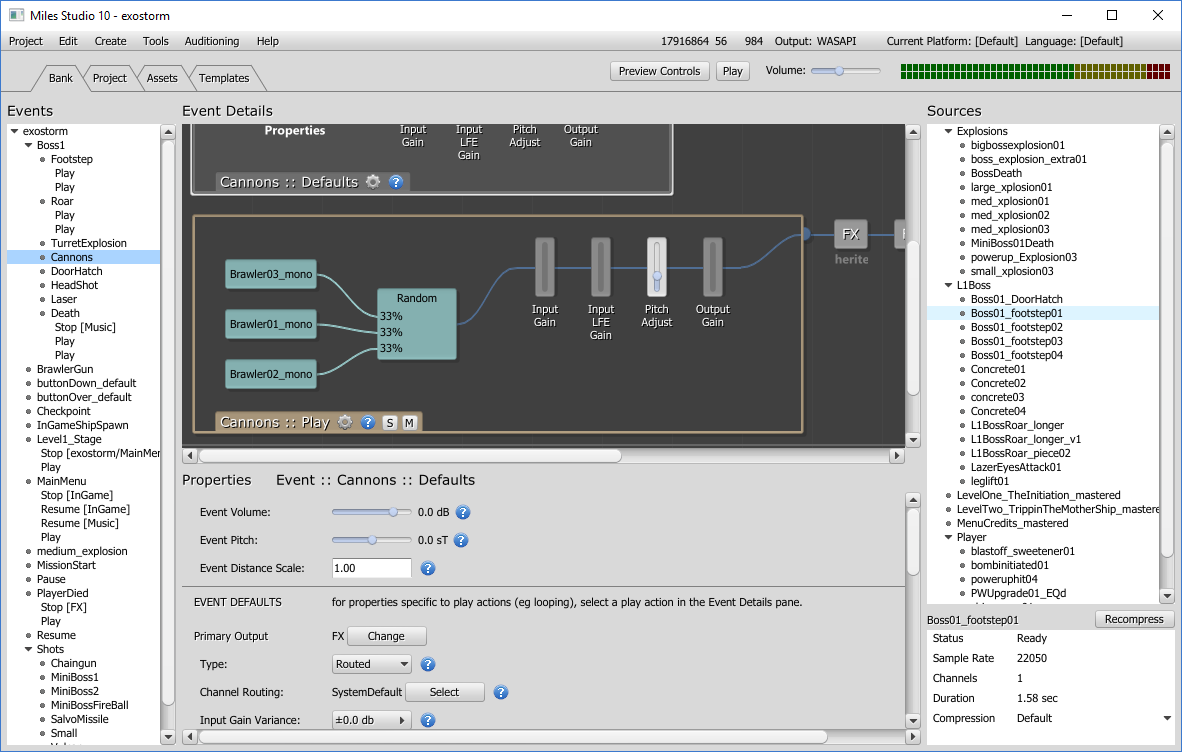
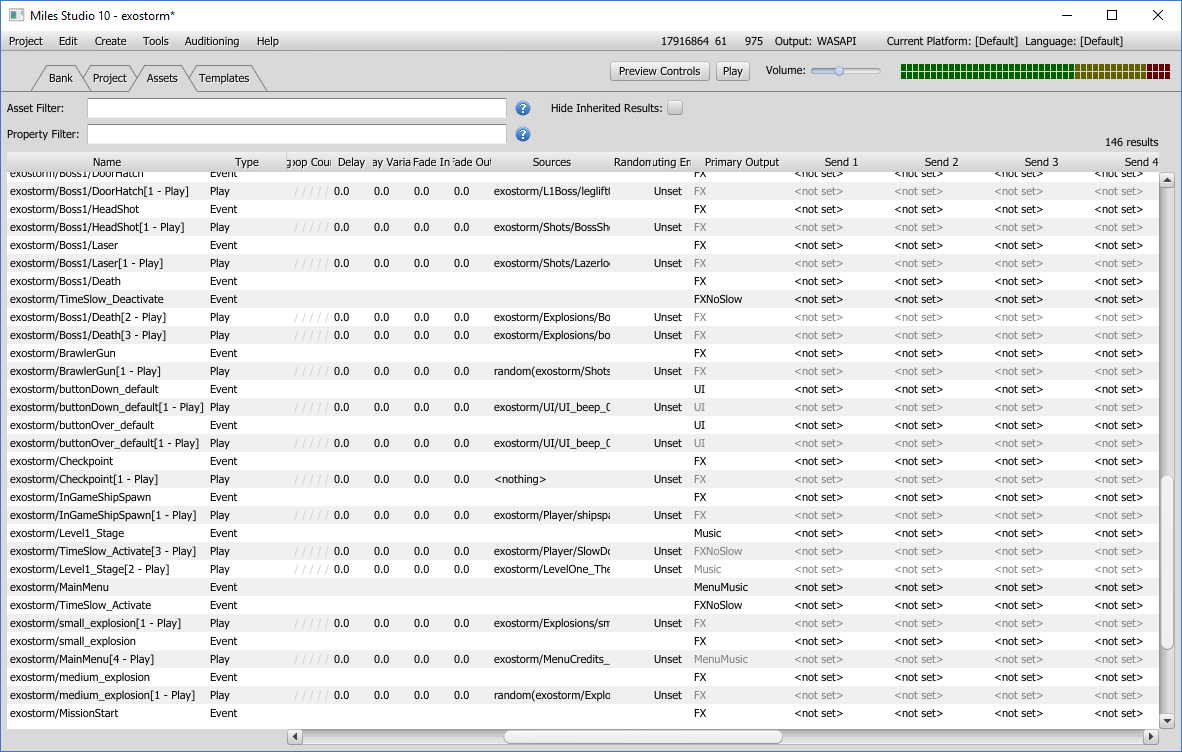
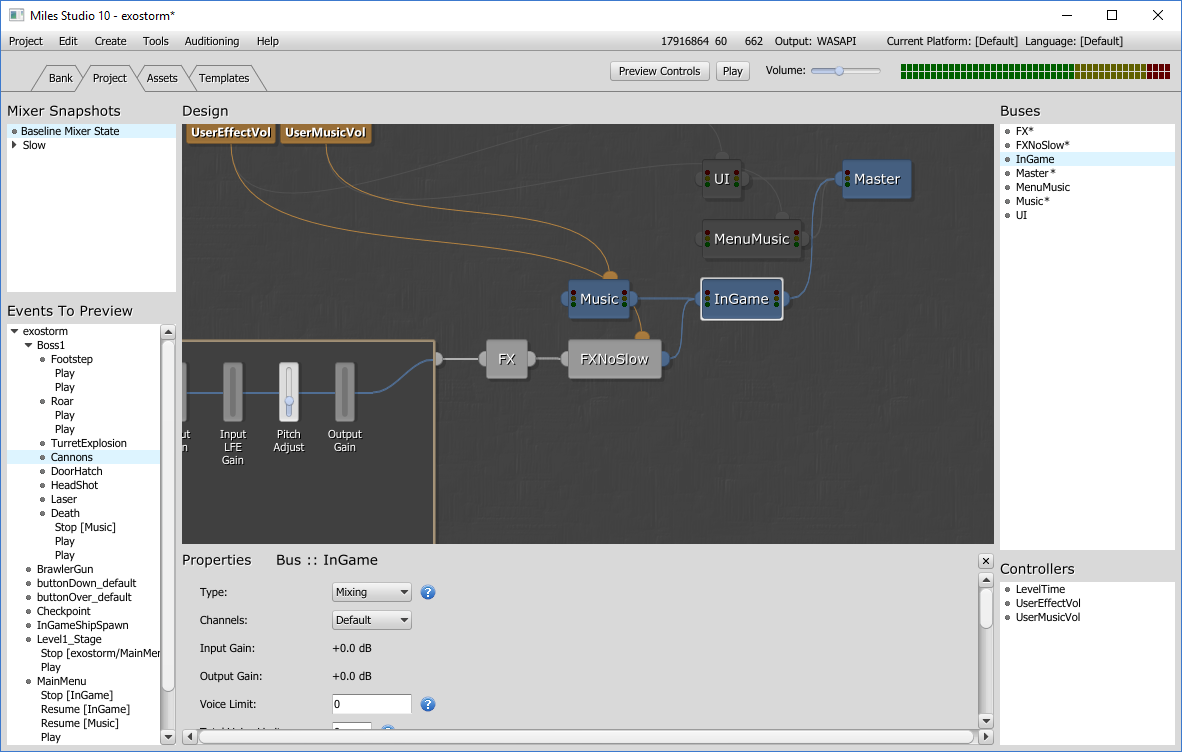
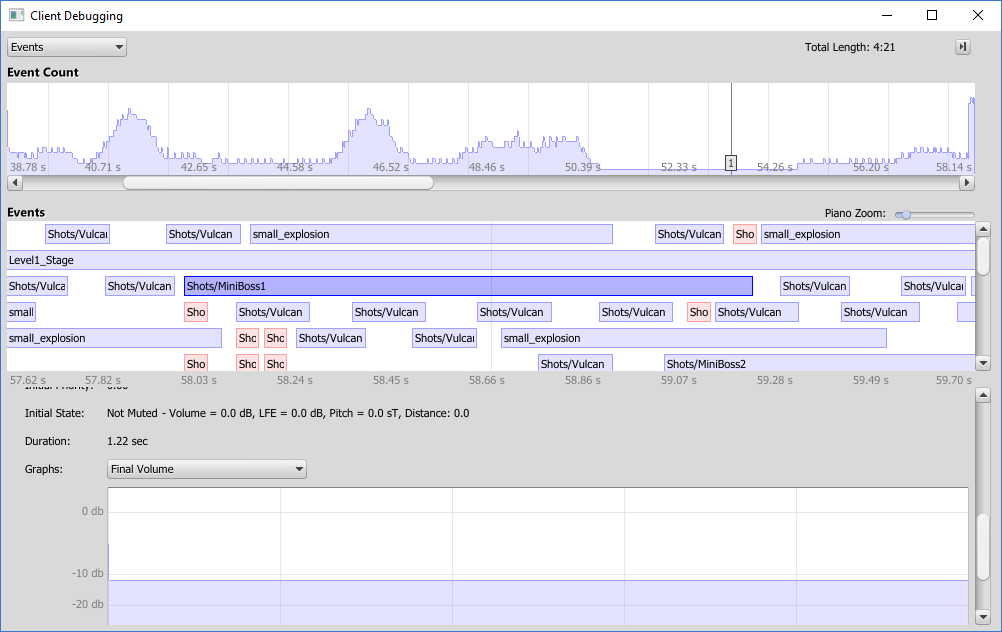
  The Miles Sound System offers a versatile, powerful solution to the need for high-quality sound effects and music performance. Miles provides a variety of audio playback resources suitable for even the most demanding multimedia and entertainment applications, including a distinctive array of features unmatched by any other PC sound system. From its humble beginnings in 1991, the Miles Sound System SDK has established industry-wide standards for interactive audio in computer games and educational software products. Miles has brought sound and music to life for tens of millions of PC and console gamers all over the world.

The best way to get a sense of the depth and breadth that Miles provides is to check out this summary of the SDK's key areas of functionality. If you have any questions, you can always e-mail or call us at 425.893.4300.

After reading this page, you should also check out our Why you should use Miles page and the Miles customer page.

Miles has a lot of features, so we've broken this page into the following sections: Digital Audio Support, MP3 Support, 3D Audio Support, DSP Digital Filter Support, MIDI Support, Red Book CD Audio Support, Utility Support, Platform Support, and Source Code Details.


Digital Audio Support

The Miles Sound System includes unparalleled digital audio support. Pretty much anything you'll want to do with digital audio is available through the MSS API.

At the heart of Miles is its super-fast, assembly-optimized (x86, MMX, and PPC) software mixer. This module contains dozens of different mixer kernels for all possible mixing states, such as 8 or 16-bit input, stereo or mono input, stereo or mono output, upsampling and downsampling with optional filtering, volume scaling and channel inversion, and more. Each of these routines is optimized specifically to be as fast as possible.

One level up is the Miles buffering layer. This layer takes the currently-playing sample addresses, loop points, and compression format (MP3, Ogg Vorbis, ADPCM or other), and digital filter settings into account, calling the low-level mixer with the appropriate data after having decompressed and/or filtered it. This means that Miles plays out of your memory buffers -- which is nice because you don't need to copy memory around, maintain buffer locks, or anything like that. Just load your sound data into memory and tell Miles to play it.

One top of the buffer layer sits the Miles Digital Audio API (nice, clean and fast), the high-level streaming API, and any 3D audio providers. Our streaming API is a cross-platform layer than makes streaming data from a disk files as simple as three calls. Beginning with MSS Version 7, our hardware-3D providers (including EAX and DirectSound3D) are accessible using the same API that the standard 2D and discrete-multichannel configurations use. You no longer need to compromise your game's audio functionality to support a particular 3D hardware standard.

You'll love Miles's digital audio API: volume (amplitude and loudness), playback rate, pan control, effects and low-pass levels, streaming and subblock looping, five different kinds of callbacks, and many more features are all under your control.


MP3 Support

The Miles Sound System provides a Thomson-patent-licenced redistributable MP3 decoder at no charge! This means that you can use MP3 files in your games just like normal PCM digital audio.

MPEG audio is a global standard that was invented to compress the audio streams that accompany MPEG video streams. Because it was developed several years ago, MPEG audio needed to be scalable in playback complexity. Consequently, the Motion Picture Experts Group came up with three levels of compression complexity: MPEG Layer 1, MPEG Layer 2, and MPEG Layer 3. Each level provided almost twice the compression at near-lossless levels (MP1 provides 3 to 1, MP2 provides 6 to 1, and MP3 provides 11 to 1), but each level required more and more CPU power.

Now, years later, even the sophisticated Layer-3 compression standard only uses a small percentage of the total power of a modern desktop CPU. Miles lowers this even further by providing SSE, 3DNow and MMX-optimized MP3 decoders!

This means you can now take advantage of the massive size savings that MPEG Layer 3 can provide in realtime situations. For example, at the usual compression ratio of 11 to 1, this means you could store up to 13.5 hours of audio on one CD! And remember, this is perceptually-lossless compression - your users won't notice the difference!

Previously, one drawback to MP3 compression was the fact that two overseas companies (Fraunhofer and Thomson) owned the patent rights to the MP3 compression and decompression algorithms. That meant that if you wanted to add MP3 to your commercial product, you'd have to go through convoluted and lengthy negotiations to obtain an expensive license. Worse, you were simply paying for the patent rights - you still had to write the MP3 decoder itself.

With Miles, we have arranged through the Fraunhofer Institute and Thomson Multimedia to provide Thomson-licensed patents to our customers at no extra cost! You must sign an extra MPEG license addendum (which, among other minor things, requires you to add a credit to Fraunhofer and Thomson in your game), but other than that, you can use MP3 decompression just like our already built-in ADPCM decompression.

Once the Miles MP3 decoder is installed (the proper decoder DLLs are copied into the Miles directory), MP3 data is treated like a completely integrated sound type - the data doesn't even have to be decompressed before passing it to Miles! With the new digital audio loop editor provided in Miles 7, you can even perform audibly-seamless looping on MP3 files, just as if they were standard .WAV samples. (However, the MP3 decompression process does take more CPU than uncompressed samples or those encoded with the comparatively-simple ADPCM algorithm.)


BREAKING MP3 NEWS!!

Updated news as of August 7th, 2007

Judge Rudi Brewster today reversed a jury's decision that Microsoft had infringed on two Alcatel patents. He found that Microsoft didn't infringe on one of them, and that Microsoft had a license to the other through its co-owner, Fraunhofer.

This is encouraging news, and we are cautiously optimistic that this will eventually give Thomson and Fraunhofer the unambiguous right to sublicense MP3 technology.

You can read about this ruling all over the net, but specifically at:

Microsoft wins reversal...

We will continue to keep you updated as we learn new information.

Original Patent MP3 information (as of March 2007):

RAD Game Tools has recently (as of late February 2007) become aware of the MP3 patent dispute that was the subject of last week's ruling by the US District Court for the Southern District of California (Lucent Technologies et al vs. Microsoft Corp.) Briefly, Alcatel-Lucent has claimed that they own certain patents used in MP3 encoding and decoding that our licensors, Fraunhofer-IIS and Thomson Consumer Electronics are not authorized to license. The jury agreed that Microsoft and its sublicensees and distributors did not have the right to sell Windows-equipped PCs with MP3-based technology.

We have read the US patents that are referenced in the online court documents (5341457 and RE39080), and while we are not in a position to offer legal advice to our customers, we believe that the claims of these patents are primarily associated with MP3 encoding processes rather than decoding. Only claim 4 in RE39080 appears to attempt to cover decoding processes as well. We believe this claim is overbroad under US patent law -- it's akin to including claims covering generic radio-receiver circuitry in a patent for a new type of transmitter -- but whether a court would make this distinction is unclear.

It's also important to point out that Alcatel-Lucent and Microsoft are currently in bi-directional litigation about many other issues (not just audio IP), so this is likely the first of many battles that will have similar collateral damage. Microsoft has stated that they are fighting this decision specifically and are planning to appeal as well, so all of these issues are far from settled.

Another important point is that this doesn't affect Miles itself - just our MP3 decoder (which is optional). And this is the exact same licensing issue that every sound system that uses MP3 will face - even if you get the MP3 rights directly from Thomson. It's not a Miles problem - it's an MP3 problem.

Unfortunately, we have very little further information about the potential applicability of the Lucent-Alcatel patents to RAD's MP3-related products. Neither Alcatel-Lucent, Fraunhofer-IIS, nor Thomson Consumer Electronics have offered any specific policies or recommended actions for MP3 licensees. We have received this document from Thomson, which only makes clear that you still need a license from Thomson to use MP3 technology.

Since Thomson has been the industry accepted licensing body for MP3 for more than ten years, we have hope that a reasonable solution will be found. Further light will be shed on this issue as the Microsoft lawsuit and appeals work their way through the courts, but in the meantime, the sufficiency of all existing MP3 patent licenses granted by Thomson (including those held by Apple, Sony, Creative and hundreds more) is uncertain.

In this climate of uncertainty, your company will need to decide whether to continue using MP3 decoding technology in your own products. We must emphasize that we aren't in a position to offer legal advice on this matter, nor can we assume responsibility for the use of MP3 in your products.

It would be nice if we could simply say, "Switch to Ogg Vorbis," but because US software patents establish ownership of mathematical concepts rather than specific implementations, we have no specific reasons to believe that Ogg Vorbis is not vulnerable to similar legal attacks by Alcatel-Lucent or other third-party rightsholders who have yet to reveal themselves. (If this situation is as disturbing to you as it is to us, please contact your US representatives and make them aware of the impact of software patents on your business.)

It is RAD's plan to continue supplying and improving our MP3 decoder, and to continue to license the necessary rights to do so from Thomson, and let our licensees choose whether to use it or not. Hopefully, things will become clearer in the future and we will, of course, keep everyone updated as we learn more.


3D Audio Support

"3D audio" is basically a way to assign 3D coordinates to a particular sound. In a perfect world, everyone would have a discrete multispeaker sound system that would allow true three-dimensional placement of any sound. Beginning with MSS V7, we do a great job of supporting these high-end customers, many of whom have connected their PCs and consoles to their home-theater receivers with the expectation of cinema-quality surround sound in their games. Many users, though, are still making do with the plain old stereo speakers that came with their PCs. Not surprisingly, it's important that your game makes the most of these disparate speaker configurations without the need for a lot of custom coding and testing on your part. The Miles digital audio API makes the job easy by keeping track of the 3D position and orientation of your sound source and emitter objects. We make sure that the user experiences believable spatial-positioning effects at a quality level commensurate with the available hardware.

The DOS and Macintosh platforms support conventional mono/stereo output formats only, but the full Miles 3D digital audio control API is still available, of course. We apply distance-based attenuation and velocity-based Doppler effects to samples and send them to the user's stereo or mono speaker(s) in a way that reflects the sound's position relative to the listener, but there's no front-back sensation to be had. The Xbox, Xbox 360 and PS3 are even simpler to understand -- there are inherently multi-channel systems.

As usual, under Windows things get interesting. When you open a Miles digital driver, you'll need to tell us what audio output format to use. It can be any of the following options:

  • Mono Output: Conventional monaural (single-speaker) sound.

  • Stereo Output: Conventional stereo sound. Miles's 3D positional math assumes two (left and right) speakers are in front of the listener at 45-degree angles.

  • HeadPhone Output: Similar to stereo output, but Miles assumes the speakers are positioned directly to either side of the listener.

  • 6.1 Channel CircleSound Output: SRS Circle Surround(r) is a two-channel matrix format can be thought of as an improved replacement for Dolby Surround. It is compatible with consumer receivers that support Dolby, and offers 6.1 logical channels (front left, front right, front center, subwoofer, rear left, rear right, and rear center) on native Circle Surround(r)-compatible equipment. The main drawback to Circle Surround(r) is its increased CPU overhead compared to Dolby Surround. Also used on Nintendo Wii!

  • 3-channel Dolby ProLogic 1 Output: This option assumes the user has connected a Dolby Surround-capable receiver to their (two-channel) sound card. It is identical to the Miles Dolby Surround M3D provider from earlier versions. Because DVD soundtracks downmixed to analog Dolby Surround sound pretty awful, this is no longer a very popular option for PC sound. Dolby Surround provides three logical channels (front left, front right, and monaural rear). Commonly used on Nintendo Wii.

  • 4 Channel Output: This option assumes that four speakers (front left, front right, rear left, and rear right) are connected in a quadraphonic discrete configuration without the center speaker or subwoofer typical of 5.1 configurations. Not an especially-common channel configuration, except for a few diehard Led Zeppelin fans who haven't upgraded for awhile.

  • 5.1 Channel Output: Use this option to support the 'sweet spot' of current home audio systems, the 5.1-channel discrete configuration. Again, this is largely a DVD-driven phenomenon. There is a lot of hardware out there that can support 5.1 audio these days!

  • 4.0 Channel DTS Output: Available on Sony PS2, this option provides four-channel discrete DTS encoding through the S/PDIF port. It is more efficient in terms of memory and encoding overhead than DTS 5.1, but lacks support for the LFE and center channels. Like the 4 Channel Output option, it assumes that at least four speakers (front left, front right, rear left, and rear right) are available.

  • 5.1 Channel DTS Output:Available on Sony PS2, this option provides true 5.1-channel discrete DTS encoding through the S/PDIF port. DTS is surprisingly efficient on the PS2, sounds great, and is highly recommended for apps that can afford the slight (5% or so) CPU hit.

  • 6.1 Channel Output: Similar to 5.1, but with a rear center speaker.

  • 7.1 Channel Output: Similar to 5.1, but with side surrounds. This is a very common format for multichannel sound hardware to support, but users don't tend to have room for this many speakers.

  • 8.1 Channel Output: Similar to 5.1, but with both side surrounds and a center rear speaker.

  • DirectSound3D Hardware: Uses DirectSound3D for output, bypassing the Miles internal mixer.

  • EAX 2: Adds hardware-accelerated environmental reverb effects, occlusion, obstruction, and per-sample wet/dry mix control to DirectSound3D.

  • EAX 3: Adds exclusion and several other attributes and preferences to the EAX 2 feature set.

  • EAX 4: Higher-quality effects and new control options (see the EAX4EXAM.CPP example application), currently available only in Creative Labs' highest-end hardware.

Keep in mind that you can use more than one digital audio configuration simultaneously! This lets you use hardware acceleration on the critical voices and fall back to software if the hardware voices are exhausted.


DSP Digital Audio Filter Support

Filter processors are external plug-ins that can manipulate digital sample data on-the-fly, during playback. Miles currently includes fourteen different filters. Up to eight filters can be applied, or "stacked," on a given sound, whether 2D-controlled or 3D-positioned.

  • EAX Reverb Emulation Filter: this filter is built into the Miles mixer and provides great sounding EAX emulation in software. It is highly optimized and uses almost no CPU at all.

  • Low-Pass Filter: this filter is also built right into the Miles mixer. It only allows frequencies below the cutoff frequency to pass. This effect is ideal for simulating object occlusion (because only the low frequencies can be heard - like thumps in another room). It is also highly optimized and uses almost no CPU at all.

  • High-Pass Filter: this filter only allows frequencies above the cutoff frequency to pass.

  • Band-Pass Filter: this filter only allows frequencies around the center frequency to pass. This effect is useful for simulating things like telephone calls.

  • Resonator Filter: this filter provides a resonant filter that allows frequencies around the center to pass. The advantage of this filter is that you can "slide" the center and achieve some interesting effects.

  • Compressor Filter: this filter "compresses" the dynamic range of a signal by making quiet signals louder and loud signals a bit quieter.

  • Delay Filter: this filter provides a simple delay effect.

  • Phaser Filter: this filter creates a sweeping effect by modulating a narrow notch signal filter. Many different types of sounds can be achieved with this effect (such as underwater effects). A phase shifter works by applying a narrow signal filter to a sound source. This causes various amounts of canceling of frequency components in the original signal. The filter's output is mixed back in with the original source audio signal. To get the sweeping effect, a low frequency oscillator is used to slowly move the frequency center of the notch filter. Blending the altered signal back into the signal path (called "regeneration" or "feedback") intensifies the effect.

  • Parametric Equalizer Filter: this filter allows you to select a frequency range and boost or cut the signal in that range. The boost or cut amount is smoothly ramped down in either direction in a bell curve.

  • Shelving Equalizer Filter: this filter is boosts or cuts the frequencies under the low frequency by the low gain and monotonically increases the gain with the frequency. It is useful for controlling the bass and treble in a sample.

  • Ring/Amplitude Modulator Filter: this filter uses a sine wave to modulate (change) the signal. You can create "robot" type voices or underwater type effects with lots of motion with this filter.

  • Chorus Filter: this filter is used to add a swirling property to a sound that it is applied to, thickening the sound. An audio signal that is to be processed with chorus is first delayed by a small amount. (Typical delay times are small, in the range of 5 to 40 milliseconds.) This produces a doubling effect. Each delayed signal is then sent to a low frequency osclilator. The LFO takes the delayed signal and moves its pitch up and down, changing the tuning from sharp to flat. (The oscillator moves in the range of 1-20 cycles per seconds to get the effect.) The LFO usually runs at a slow speed; 1 to 20 oscillations per second are typical. The output of the delayed and pitch-altered signal is then mixed in with the original audio. This blending completes the chorusing effect.

  • Flange Filter: this filter is also used to to produce a swirling effect on a sound. The filter delays a copy of the sample data, but uses a low frequency oscillator to vary the speed of the copy's playback. (The oscillator moves in the range of 1-20 cycles per seconds to get the effect.) Feeding the processed signal back into the device to be processed again can get a more intense effect.

  • Capture Filter: this filter will record the final mixed output of the Miles 2D digital audio system to a wave file. This is great for recording demos or tracking down bugs. Just set the filename and then apply the filter to the digital driver to begin recording.


MIDI Support

Miles was the first sound system to support General MIDI (way back with The 7th Guest)! Since then, its MIDI support has become more and more sophisticated.

Miles supports hardware MIDI on the PC and QuickTime on the Mac. However, most people now use the Miles built-in software synthesizer. Using the software synth gives two powerful advantages. Consistency - you don't have to worry about different sound cards playing the MIDI music differently. The end user's experience remains under your control. Customization - the Miles synth supports DLS instrument sets so that you can completely replace the General MIDI instrument set. You can create sound effect DLS sets and trigger them with MIDI events (this is what WarCraft III does).

Miles also supports many custom MIDI events that you can use to do looping, branching, note data updates, callbacks, channel prioritization and more, all at authoring time.


Red Book CD Audio Support

Miles has a complete API for controlling Red Book audio. Red Book audio is digital audio stored in standard audio-CD format. Streaming Red Book audio costs no CPU time, so it can be useful when you need to reserve every drop of CPU power for your application.


Utility Support

Miles also includes tons of handy utility functions, including cross-platform timers, memory management, file I/O, codec functions, conversion functions and more.


Platform Support

  • Windows 95, 98, Me, NT, 2000, XP
  • Nintendo Wii
  • Microsoft Xbox
  • Microsoft Xbox 360
  • Sony Playstation 2
  • Sony Playstation 3
  • MacOS 8 and 9 (CFM) and MacOS X (Carbon)
  • MS-DOS
  • Linux (in source form only)

Source Code Details

The Miles Sound System includes complete source code. If you ever wonder exactly how a particular function works - just check out the source! Miles is written in clean C and C++, with several modules in x86 and PPC assembly.


Home       Bink       Miles       Granny       Pixomatic       Sales       Support       About RAD
 
send comments to:
the webmaster
 
Copyright © 1991-2008
RAD Game Tools, Inc.
425.893.4300
updated 2/18/08